 Albania
 Argentina
 Australia
 Austria
 Belgium
 Bosnia and Herzegovina
 Brazil
 Bulgaria
 Canada
 Chile
Chile
 Colombia
 Croatia
 Czech Republic
 Denmark
 Estonia
 Finland
 France
 Germany
 Greece
 Hungary
 Ireland
 Italy
Italy
 Latvia
 Lithuania
 Luxembourg
 Mexico
 Moldova
 Montenegro
 Netherlands
 New Zealand
 North Macedonia
 Norway
 Philippines
 Poland
 Portugal
 Romania
 Serbia
 Slovakia
 Slovenia
 South Africa
 Spain
Spain
 Sweden
 Switzerland
 Turkey
 Ukraine
 United Kingdom
 United States of America



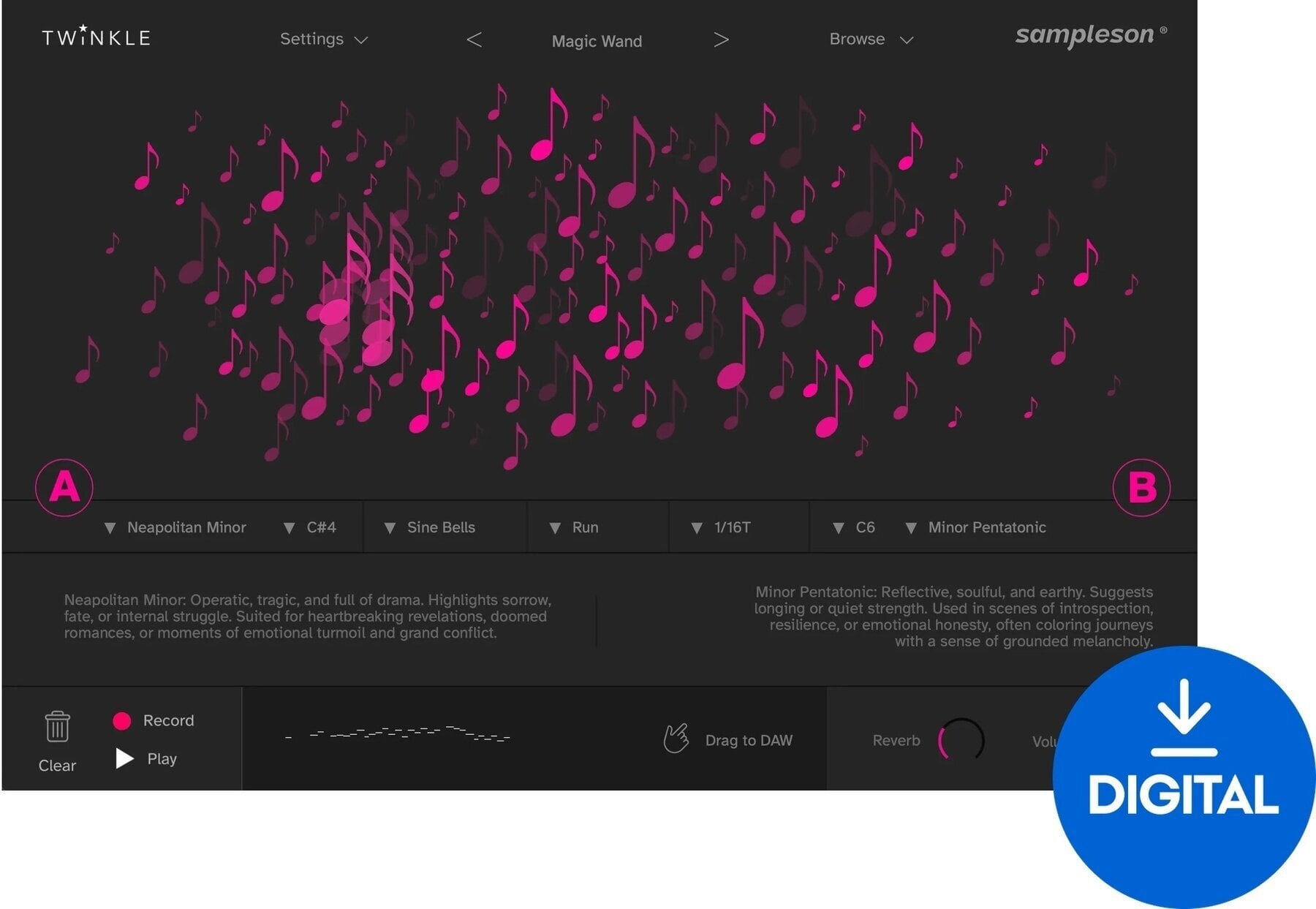
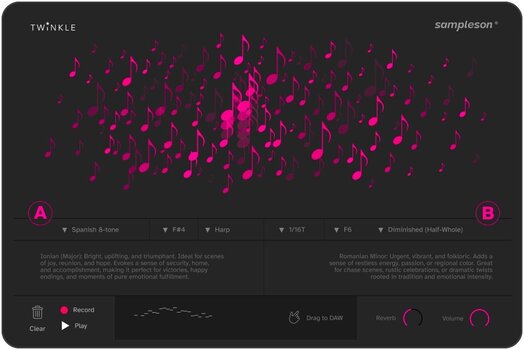

- Тype: Virtual Instrument
- License duration: Perpetual
- Compatible with: All major DAWs
- Supported plug-in formats: AU, Standalone, VST3
- System requirements: Mac OSX 10.7 <, Windows 7 <
Sampleson Twinkle (Digital product)
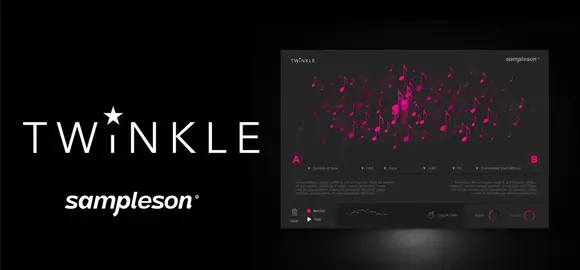
Twinkle: Create Cinematic Flourishes with Ease
Unleash your creativity with Twinkle, a revolutionary tool that allows you to craft film-ready musical passages effortlessly. With just a simple drag of your mouse, you can generate a variety of short, fast, and decorative phrases including arpeggios, trills, runs, and sparkling bursts of notes, all inspired by the techniques of professional composers.
Intuitive Gesture-Based Interface
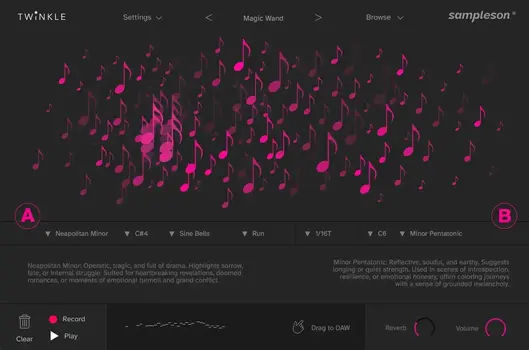
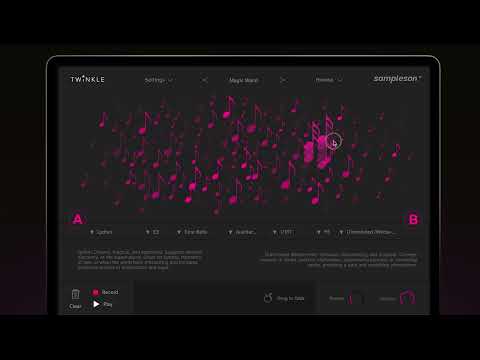
Twinkle features a unique gesture-based interface that empowers you to shape musical ornaments with your hands. Simply drag across the user interface to instantly create phrases filled with cinematic expression. This innovative approach is ideal for quickly adding spontaneous ornaments or subtle flourishes to your existing compositions, eliminating the need for complex MIDI commands.
Expert Techniques at Your Fingertips
With Twinkle, you have access to the seasoned tricks of expert composers with every gesture. Whether it's using perfect fourth intervals to evoke grandeur or unexpected resolutions that keep your audience engaged, Twinkle automatically applies these musical devices, transforming each swipe into a thoughtful, emotionally charged phrase. What once required years of training can now be achieved with a single drag.
32 Modes, 5 Styles, Infinite Possibilities
Explore a vast array of creative options with Twinkle's 32 modes, each offering a unique set of ornaments. Choose from a diverse selection of scales and root notes to craft the emotional tone of your gestures. Not sure where to start? A curated mode guide is included to help you navigate your choices, making music creation accessible to everyone.
Learn While You Create
Twinkle not only accelerates your creative process but also enhances your skills as a composer. Each scale comes with a concise guide detailing the emotions it can evoke, the moods it fits, and practical tips for effective use. As you experiment, you'll gain insights into why certain modes feel magical or carry a sense of tension, turning every gesture into both a creative spark and a valuable learning experience.
MIDI Out & Seamless Integration with Your DAW
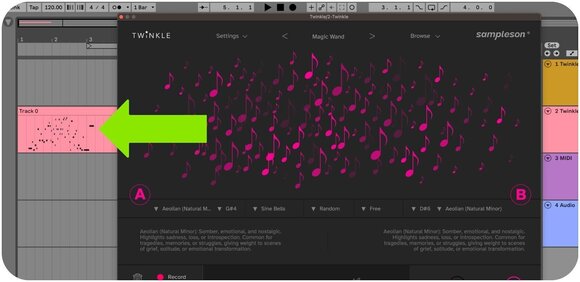
Twinkle offers two powerful methods for utilizing the generated MIDI: capture phrases with the built-in recorder and drag & drop them directly into your DAW, or record the MIDI output in real-time to drive any instrument from your sound libraries. Whether you’re working with lush strings, cinematic pianos, or modular synths, Twinkle becomes a creative engine within your DAW, allowing you to record, edit, and orchestrate every flourish with precision.
Key Features
- Generate expressive musical ornaments with a single gesture.
- Interactive canvas for intuitive phrase creation.
- Two independently assignable scales and root notes.
- Full MIDI Out to control external instruments.
- Includes mockup instruments.
- Retina- and 4K-ready user interface.
- No musical knowledge required.
Cinematic Ornaments with a Mouse Drag
Twinkle is a plug-in and standalone app from Sampleson for creating film-ready musical passages. Instead of programming notes, the user drags across its gesture-based interface and Twinkle instantly generates expressive phrases: arpeggios, trills, runs and decorative bursts of notes, ideal for quick, spontaneous ornaments or subtle flourishes in existing compositions.
Pro Composer Tricks and 32 Modes
Twinkle applies techniques crafted over decades of scoring for film, TV and games, from perfect fourth intervals that evoke grandeur to unexpected resolutions that build tension. It features 32 modes, each with its own set of ornaments, and a wide range of scales and root notes. A curated mode guide explains the emotions and moods each scale can evoke, such as why a Lydian run feels magical or why Phrygian carries a sense of danger.
MIDI Out and DAW Integration
Generated phrases can be captured with the built-in recorder and dragged straight into the DAW, or the MIDI output can be recorded in real time to drive any instrument from a sound library, from strings and pianos to synths. Mockup instruments are included for instant playback.
Technical Parameters
- Type: MIDI ornament generator with built-in mockup instruments
- Plug-in Formats: VST3, AU, Standalone (Pro Tools not supported)
- Operating System: macOS 10.7 or later (Apple Silicon and Intel), Windows 7 or later (64-bit)
- Requirements: 4 GB RAM, 400 MB disk space, online activation
- License: Full version, perpetual
Additional Info
The full version is software that does not require ownership of any other product or previous version. It is intended for new users who do not yet own the software. The range of features depends on the specific version and product. After purchase, you will receive a license for full use of the software.

License duration
Download
License
System requirements
Mac OSX 10.7 <, Windows 7 <
Hardware Requirements
4 GB RAM, Apple Silicon, Intel
Documents
Instructions for use
Safety instructions
Please refer to the user manual for the specific safety instructions for this product.


