 Albania
 Argentina
 Australia
 Austria
 Belgium
 Bosnia and Herzegovina
 Brazil
 Bulgaria
 Canada
 Chile
Chile
 Colombia
 Croatia
 Czech Republic
 Denmark
 Estonia
 Finland
 France
 Germany
 Greece
 Hungary
 Ireland
 Italy
Italy
 Latvia
 Lithuania
 Luxembourg
 Mexico
 Moldova
 Montenegro
 Netherlands
 New Zealand
 North Macedonia
 Norway
 Philippines
 Poland
 Portugal
 Romania
 Serbia
 Slovakia
 Slovenia
 South Africa
 Spain
Spain
 Sweden
 Switzerland
 Turkey
 Ukraine
 United Kingdom
 United States of America



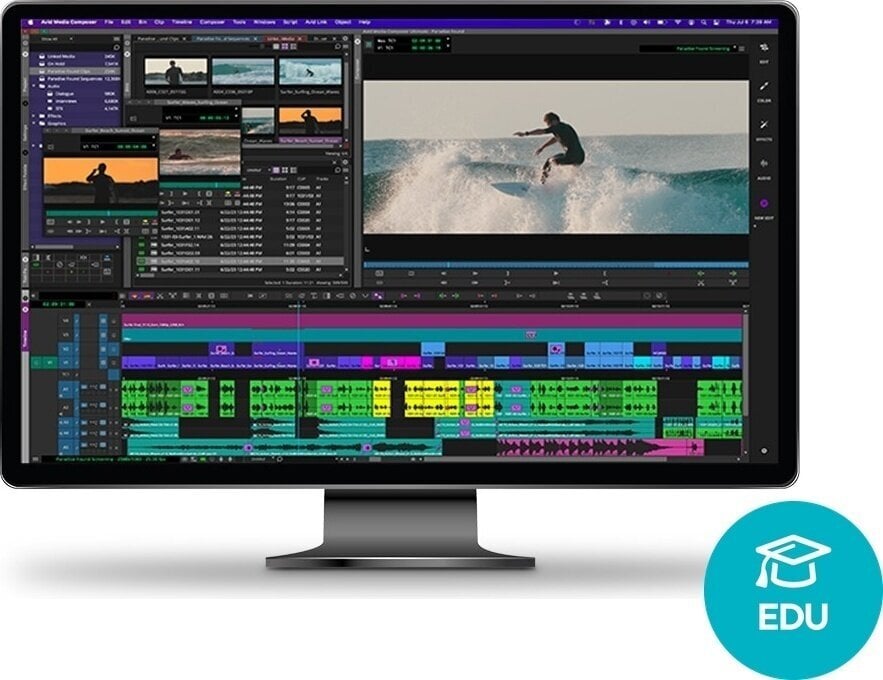
AVID Media Composer Ultimate Perpetual License NEW EDU (Digital product)
Brand: AVID
Product code: 1327627
Brand: AVID
Product code: 1327627

AVID Media Composer Ultimate Perpetual License NEW EDU (Digital product)
Empowering Creative Composers
From concert halls to classrooms, Sibelius stands as the leading choice for composers, arrangers, and educators. Experience the easiest way to write and share music with the world’s bestselling notation software.
Compose
Write Music With Ease
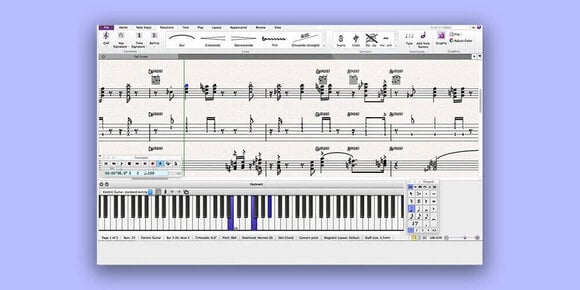
Sibelius simplifies music composition, allowing you to work seamlessly on your computer, iPad, iPhone, Android tablet, phone, or Chromebook. Whether you prefer using the onscreen notation Keypad, a MIDI keyboard, or your computer keyboard, Sibelius manages all note layout, orientation, and rest details for you.
Build Up Compositions
Create music for a variety of ensembles, from piano to orchestra, with multiple instrument parts. Enhance your scores with chord symbols, guitar tabs, expression text, articulations, lyrics, titles, graphics, and more, adding the detail and dynamism your music deserves. You can even loop playback to improvise ideas.
Hear Your Music In Stunning Detail
Sibelius comes with a high-quality sample library featuring a wide range of musical instruments, allowing you to hear how your compositions will sound when performed by real musicians. Additionally, you can integrate third-party sound libraries, such as NotePerformer, for even greater flexibility.
Orchestrate
Arrange Parts Fast
The Arrange feature simplifies the orchestration of additional instrument parts from existing ones. Select an orchestration style, and Sibelius will automatically generate new parts based on your sources. You can also “explode” chords across different parts or consolidate multiple parts into one with a single click.
Get Intelligent Import
Importing a MIDI, MusicXML, or Sibelius file into a new or existing score is as easy as a single click. All notation, instrumentation, techniques, and articulations are automatically assigned, preserving the composer’s intent and saving you valuable time. Combine several scores together with control over what’s imported.
Perfect And Review Scores
Sibelius streamlines the process of adapting instrumentation, transposing parts, and adding slurs, allowing you to work more efficiently. Once your score is ready, Review mode enables collaborators to view your score and add comments and annotations without the risk of accidental changes.
Engrave + Copy
Create Parts Dynamically
Sibelius automatically generates individual instrument parts when you create your score and updates them whenever changes are made. This feature eliminates the need for extracting parts or making destructive changes when preparing sheet music for different instruments.
Engrave Intelligently
Quickly create beautiful, professional scores with advanced notation tools and multi-edit capabilities. Add slurs, hairpins, ties, or other staff lines across multiple instruments, and make edits to barlines, expression text, and lyrics all in one action. Sibelius intelligently spaces notes and elements, ensuring perfect alignment.
Fly Through Complex Tasks
Enhance your Sibelius experience with over 140 included plugins and hundreds more available through the user community. These plugins assist with complex engraving, notating, layout, processing, text, and other tasks, making your workflow even more efficient.
Share
Share Scores In The Cloud
With Sibelius Cloud Sharing, present your scores online, allowing anyone to view, download, and play your compositions on any device. Invite others to review your work privately in your personal cloud space (1 GB included), or share scores on your website and social media.
Collaborate Easily
Scores shared in the cloud can be viewed and played in any web browser without requiring Sibelius, making it the perfect tool for sending scores out for review, performance preparation, and proofreading. Viewers can flip pages, jump to parts, and hear compositions with high-quality instrumentation.
Get More Ways To Share
Save scores to iCloud, Dropbox, or other supported cloud services, allowing you and your collaborators to access files from anywhere using laptops or mobile devices. With seamless integration across desktop and mobile, you can move between both worlds effortlessly.
Educate
Teach Music Composition
Sibelius Ultimate is perfect for teaching music notation, composition, and theory to students of all ages. It includes ready-made teaching materials, Classroom Control for tracking student progress, and optional network licensing for easy assignment of licenses to students.
Save Time On Lesson Prep
Designed in collaboration with music educators, the unique Worksheet Creator provides over 1,700 worksheets, projects, exercises, songs, and other teaching resources, saving you time in producing quality curriculum materials.
Publish
Prep Scores For Publishing
Utilize a comprehensive suite of desktop publishing tools and the Inspector to refine every element in your score. Fine-tune dynamics and text with tracking, leading, scaling, and alignment tools, and create unique house styles and manuscript papers.
Publish Your Music
Share your compositions with the world through various channels. Publish scores directly to Score Exchange to sell your sheet music, export scores as PDFs for distribution, or create audio versions for streaming on platforms like Spotify and Apple Music.
Increase Sheet Music Sales
Sibelius Cloud Publishing enhances the online sheet music shopping experience with interactive scores, leading to higher sales and customer satisfaction. Shoppers can preview, play, change instruments, and transpose scores before purchasing, ensuring they find exactly what they need.
Professional Video Editing Software for Academic Users
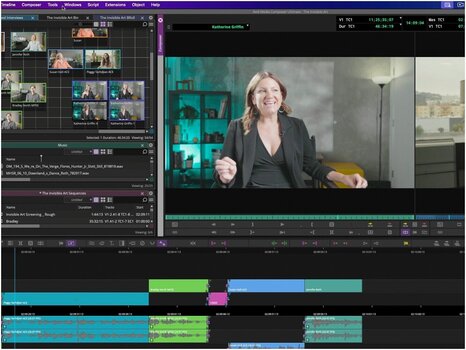
Avid Media Composer Ultimate is the professional non-linear editing software used to cut film, television, and streaming productions worldwide. This perpetual educational license gives verified students, teachers, and faculty permanent ownership of the Ultimate tier — the same toolset used to cut productions such as Wicked and F1 The Movie. Unlike a subscription, a perpetual license never expires: you keep using the version you buy, with optional paid support and update plans available to move to newer releases. Proof of academic eligibility is required; once it is verified, the license is delivered electronically for use on macOS or Windows.
What Sets the Ultimate Tier Apart
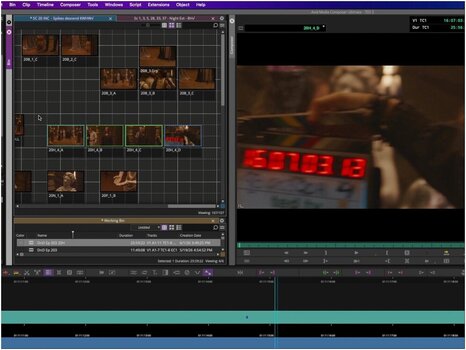
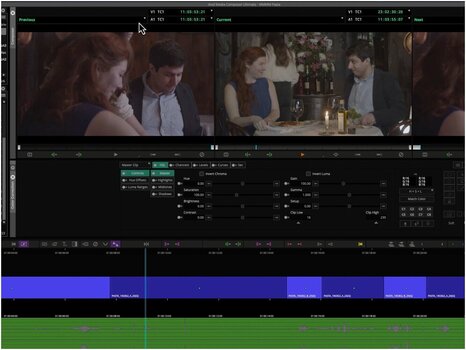
The Ultimate edition layers AI-powered text-based editing on top of the standard editorial toolset. ScriptSync AI matches transcripts to audio waveforms so editors can navigate dialogue instantly, while PhraseFind searches spoken words phonetically across hundreds of hours of footage. Advanced color management with full ACES and 32-bit float support preserves image integrity from first cut to final delivery, and patented bin-locking lets multiple editors work in the same project simultaneously without overwriting each other's cuts.
License, Platform & System Requirements
The educational license is intended for students enrolled at accredited, government-recognized universities, colleges, and secondary schools, and for teachers, faculty, and staff employed by accredited schools, colleges, universities, and schools for instrumental instruction. Elementary school students do not qualify.
- License Type: Educational perpetual license — verified academic eligibility required; permanent access to the purchased version with optional paid support and update plans
- Software Type: Professional non-linear video editor — same toolset used in film, TV, and news production
- Operating System: macOS and Windows — cross-platform install from a single Avid account
- Hardware Support: Apple Silicon (native) — accelerated timeline performance on M-series Macs
- Delivery: Electronic download — serial number issued after eligibility verification, no physical media
Built for Film Students and Media Educators
This educational perpetual license suits students enrolled in film, television, or media-production programs, plus teachers and faculty at accredited institutions who need a long-term editing solution without a subscription. Because the license never expires, it fits multi-year degree programs where the same version is taught across cohorts. Pairing the software with Avid NEXIS shared storage or Pro Tools mirrors a real studio pipeline inside a classroom or lab.
Additional Info
An educational license is intended for students, educators, and educational institutions. It offers the full functionality of the software at a significantly reduced price. A purchase typically requires proof of eligibility – for example, a valid student ID or confirmation of study or employment in education. Conditions and verification methods may vary by specific product.

License duration
Download
Made in
USA
Documents
Safety instructions
Please refer to the user manual for the specific safety instructions for this product.


